
Mobile power, reinvented.
The Go Power! Connect app puts your solar system on your phone. Check battery status, set alarms and view historical data over Bluetooth®.

01
System monitoring
Battery voltage, PV charging current and state of charge at a glance.
02
Custom alarms
Get notified before a low battery becomes a cold night.
03
Historical data
See how your system performs day to day and trip to trip.
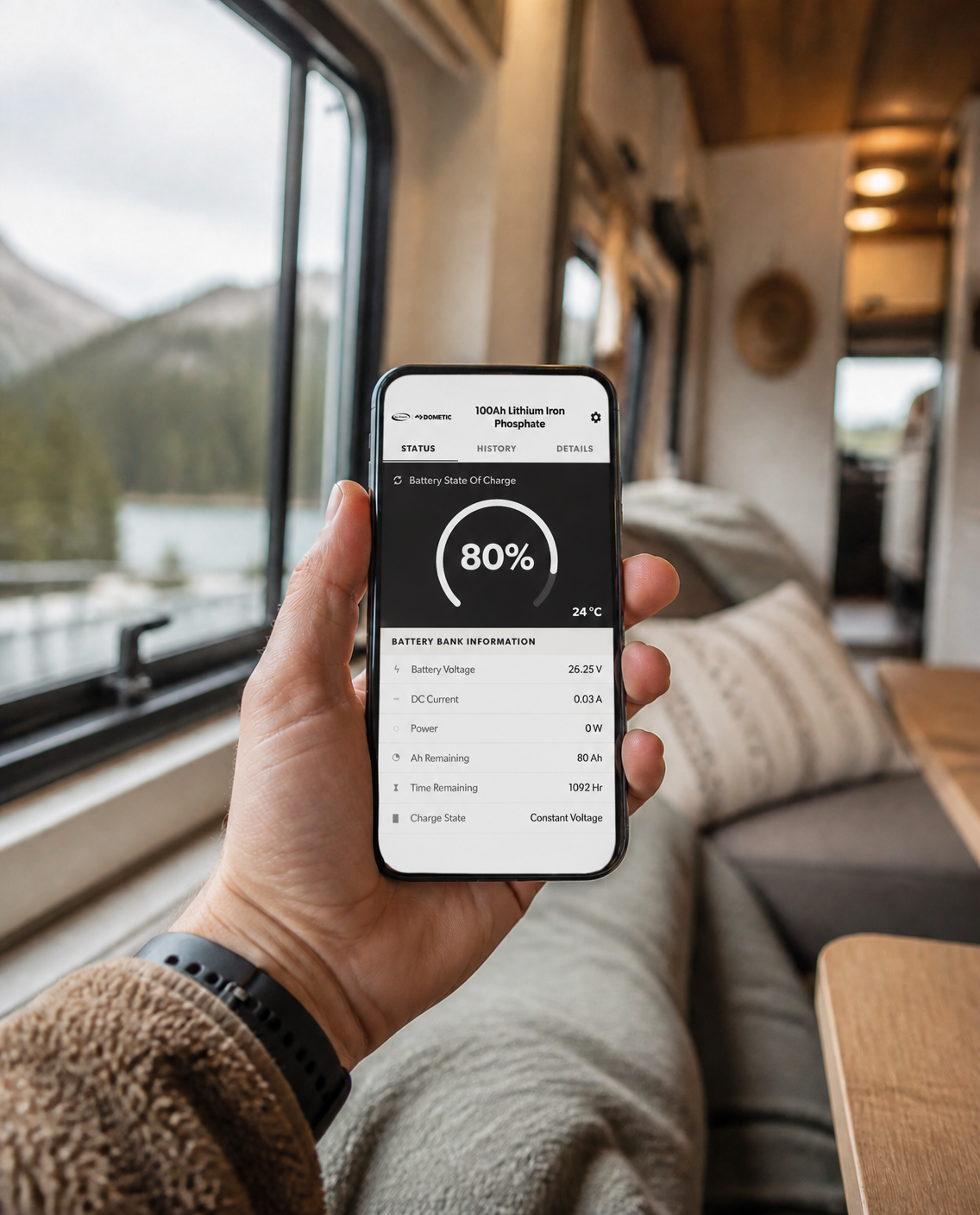
Your whole power system, in your pocket.
Pair a Bluetooth®-enabled Go Power! controller and adjust settings without climbing into the coach.
Battery type & charging profileSealed/Gel, AGM, Flooded & LiFePO4
Maximum power boostTop up before evening
Inverter on / offSelect ISW inverters
PowerTrak™ systemsMonitor & troubleshoot
Inside the app
Find system info, set alarms and view history in a few taps.

Status

Alarms

History

Settings
Get connected in three steps
1
Download the app
Free on the App Store and Google Play. Turn on Bluetooth® on your phone.
2
Pair your controller
Press the A and B buttons together for 3 seconds, then select it on the Device Selection screen.
3
Name it & go
Give the device a name so the app reconnects automatically next time.
Questions
Which products work with Go Power! Connect?
Bluetooth®-enabled Go Power! solar controllers such as the PWM-30-UL and SB-PWM-30BT, Dometic MPPT controllers, and PowerTrak™ systems.
I don't see my controller in Device Selection.
Only paired controllers, or controllers in pairing mode, appear. Press A and B together for 3 seconds to start pairing — this is only needed the first time.
The app won't connect.
Make sure your phone is close to the controller and Bluetooth® is on. Disconnect from the app when you're done to avoid future connection issues.
How do I disconnect?
Tap the Go Power! | Dometic logo at the top left of the app, then tap Disconnect. The same button is at the bottom of the Status page.
Need a hand?
Mon–Fri, 7:30am–4:30pm PST | customersupport.gopower@dometic.com